How to make a Hotel Lobby AI video from two photos
Upload two authorized adult portraits, choose 720p ($9.90/160 credits); new generation is awaiting Kie.ai validation and 1080p generation is paused. After validation, the target is a 10-second MP4 with template audio and a clean paid download; the original video and a text prompt are not required.
- Input
- 2 adult portraits · JPG / PNG / WebP · ≤10 MB each · 300–6000 px per side
- Output
- 10-second MP4 with audio · 16:9 · optional fitted 9:16
- One-time price
- Configured $9.90 / 720p · new generation paused
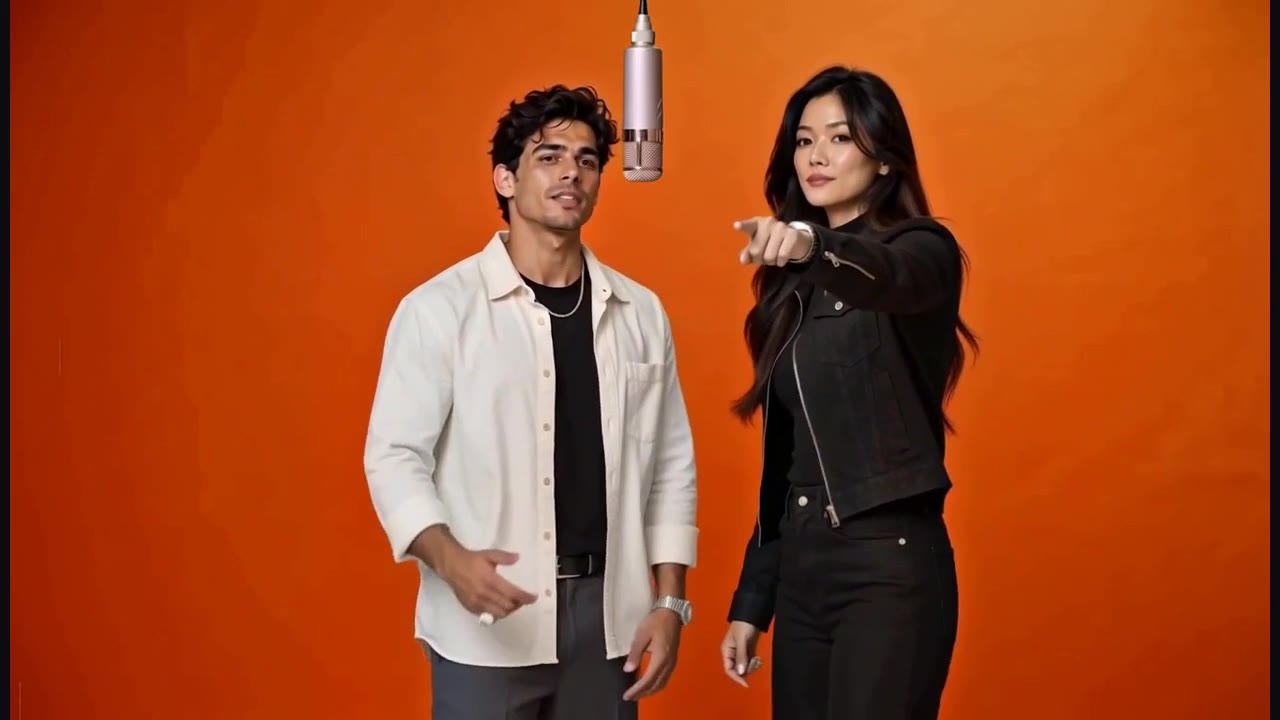
Start with the result you want
Choose two consenting adults for the orange-studio rap template. This workflow replaces the whole performers while following the prepared scene, microphone and reference movements. You do not need to write a rap prompt or edit the footage yourself. Watch the actual input-to-output example before deciding whether this fixed scene fits your idea.
1. Choose clear photos
Use one person per photo, facing the camera in even light. A sharp waist-up portrait gives the model both facial and outfit information. Keep the eyes, jawline, hair and shoulders visible. JPEG, PNG and WebP are accepted up to 10 MB each; both dimensions must be between 300 and 6,000 pixels. A small screenshot enlarged to 300 pixels does not recover missing facial detail.
2. Set the role order
The first photo becomes the left performer; the second becomes the right. Use Swap roles before submission if needed. For example, put your own portrait on the left and your consenting friend's portrait on the right. Inspect both thumbnails before buying or generating. A group photo is not a substitute for two separate portraits, and one person's photo cannot fill both roles.
3. Sign in, buy credits and choose quality
The $9.90 one-time pack contains 160 credits for one standard 720p video. New 1080p generation and checkout are paused. Existing credits remain usable after route validation. The target is the same 10-second 16:9 template. Buying credits does not automatically start generation; review the final specification and credit charge, then confirm the job.
4. Follow the task in My videos
Accepted jobs are saved to your private account, so you can return to My videos after leaving the page. Processing time varies with the service queue; the workbench currently gives an estimate of about 10 minutes, not a delivery deadline. Confirmed technical failures return reserved credits once. If a task is still processing, check its existing status before submitting another paid job.
5. Download and review before sharing
Completed paid videos can be downloaded without a watermark. Review the faces, role order and movement before posting. For a vertical post, use Export 9:16 in My videos: it fits the full scene on a dark background at 720×1280 or 1080×1920, preserving both people and sound without additional generation credits. This does not generate a native vertical camera. Outputs are retained for 30 days; download before expiry. Public sharing is optional and plays a watermarked copy.
Actual example inputs and result
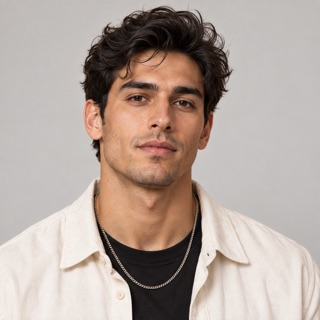

Two fictional adult portraits used for the public sample. These are demonstration inputs, not customer photos.
Watch the corresponding 10-second result with soundRelated questions
Which photos can I upload?
Upload two separate JPEG, PNG or WebP photos, one consenting adult per photo. Each must be at most 10 MB, with both width and height between 300 and 6,000 pixels. Clear faces and visible upper bodies supply useful detail; convert HEIC to JPEG or PNG first.
Read the full answerDo I need the original video or a prompt?
No. This site supplies the fixed performance template, so you upload only the two portraits. A text prompt cannot change this template's song, camera, duration or scene. Buying credits does not grant third-party music or likeness rights.
Read the full answerHow much does one Hotel Lobby AI video cost?
The configured standard price is $9.90 for 160 credits and a 10-second 720p video. New video generation and checkout are paused while Seedance 2.0 Fast on Kie.ai is validated. New 1080p generation is unavailable; existing purchased credits and completed videos are retained.
Read the full answerHow long is the video, and how long does generation take?
The video is 10 seconds. The workbench estimates about 10 minutes to generate it, but queue time varies and this is not a deadline. You can return to My videos after closing the page.
Read the full answerWhat happens if generation fails?
Confirmed technical failures return reserved credits once. An unknown supplier outcome is reconciled before a retry or return; a temporary connection error does not create a new generation. A completed result you dislike follows the refund policy, not an automatic technical-failure refund.
Read the full answerProduct details and policies
This guide describes the current AI Hotel Lobby workbench. Specifications and pack counts come from its template and price configuration; they are not a benchmark success rate.